Skip to content
SmartValueLab
DealsBest PicksBlog
CompareBest Picks

Get Weekly Deals

Best-value tech products delivered every week. No spam, unsubscribe anytime.

Weekly deals & value picks. No spam, unsubscribe anytime.

SmartValueLab

Find the best tech deal. Every price. Every product.

Categories

  • SATA SSD
  • NVMe SSD
  • HDD
  • External SSD
  • NAS Drive
  • GPU
  • CPU
  • Monitor
  • External HDD
  • Memory Card
  • USB Drive
  • RAM
  • Motherboard
  • Power Supply
  • CPU Cooler
  • PC Case
  • Router
  • Mesh WiFi System
  • NAS System
  • Webcam
  • Microphone
  • Capture Card
  • Smart Camera
  • Video Doorbell
  • Smart Hub
  • Smart Plug
  • Gaming Monitor
  • Gaming Keyboard
  • Gaming Mouse
  • Gaming Chair
  • Gaming Headset
  • Monitor Stand
  • Gaming Laptop
  • Video Editing Laptop
  • HDMI Cable
  • USB Hub

Buying Guides

  • Best Storage for Gaming PCs
  • Best SSDs for PS5 Expansion
  • Best Storage for Xbox Series X/S
  • Best External SSDs for Mac
  • Best Storage for Video Editing
  • Best Storage for Photographers
  • Best Storage for Content Creators
  • Best NAS Drives for Home Use
  • Best Storage for Business Backup

Tools & Picks

  • Deals & Price Drops
  • Compare Products
  • All Best Picks
  • Best NVMe SSDs
  • Fastest NVMe SSDs
  • Budget NVMe SSDs
  • Buying Guides
  • Tech Blog
About UsContactEmail PreferencesPrivacy PolicyCookie PolicyTermsAffiliate Disclosure

Affiliate disclosure: As an Amazon Associate, SmartValueLab earns from qualifying purchases. We are a participant in the Amazon Services LLC Associates Program, at no extra cost to you. Prices are updated periodically and may differ from those shown. See our full disclosure.

© 2026 SmartValueLab. All rights reserved.

  1. Home
  2. Mesh WiFi System

Best Mesh WiFi System Prices

Whole-home mesh WiFi systems by coverage. 2 products.

Last updated today

Daily from Amazon

Mesh WiFi System Buying Guide

Editor's Note

Most people buying a mesh system are solving a dead-zone problem, not a speed problem — and that distinction matters for what you buy. If your internet plan is under 500 Mbps and your home is under 2,500 sq ft, a WiFi 6 mesh delivers everything you need at a third of the price of WiFi 6E. The 6GHz band in WiFi 6E is genuinely useful only for devices within 20–30 feet of a node; it doesn't penetrate walls well. Where WiFi 6E earns its keep is in dense environments — apartments with many competing networks, or homes with 20+ devices — where the uncrowded 6GHz band eliminates interference. For most single-family homes, a TP-Link Deco XE75 3-pack gives you 6E capability at a price where the upgrade makes sense.

— Zoltan Lukacsi, SmartValueLab

Editor's Pick

TP-Link Deco XE75 3-Pack

The XE75 covers 6,500 sq ft with WiFi 6E, uses the 6GHz band as a dedicated wireless backhaul channel (so your devices and your mesh backhaul don't compete for bandwidth), and the Deco app is one of the best-designed consumer networking apps available. Strong choice for homes up to 4,000 sq ft with 20+ connected devices.

See Pick →

Budget

2-pack WiFi 6 mesh for medium homes, $150-250

Mid-Range

3-pack WiFi 6E for large homes, $300-500

Premium

WiFi 7 mesh for future-proofing, $600+

Common Mistakes to Avoid

  • ⚠Buying a mesh system when a single router would do — if your home is under 1,500 sq ft and you have one WiFi dead zone, relocating your router or adding a single range extender solves it for $30
  • ⚠Ignoring backhaul type — wireless backhaul halves your throughput at each hop; if you can run an Ethernet cable between nodes, always use wired backhaul for full speed
  • ⚠Confusing WiFi 6 and WiFi 6E — WiFi 6E adds the 6GHz band but requires 6E-capable client devices to benefit; check that your phone, laptop, and gaming console support 6GHz before paying the 6E premium

Specs Explained

  • Mesh Coverage Area →
  • Backhaul: Wired vs Wireless →
  • Band Steering & Roaming →

Related Use Cases

  • Home WiFi Setup →
  • Gaming Network →
Price:

2 Mesh WiFi System drives

Sort:
#ProductCapacityReadWriteTBWWarrantyScore$/TBPriceBuy
1
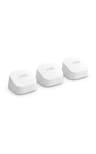
TP-Link Deco XE75 WiFi 6E Mesh (3-Pack)
TP-Link Deco XE75 WiFi 6E Mesh (3-Pack)Best value
TP-Link
————2 years86.8

Frequently Asked Questions

Related Resources

Guide: Best Mesh WiFi System: Multi-Node Coverage for Large Homes →Mesh WiFi vs Single Router: Which Should You Buy? →home nas →business backup →
$0.00/TB
$188.09
Check Price on Amazon
2
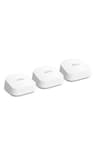
TP-Link Deco XE75 WiFi 6E Mesh (2-Pack)
TP-Link Deco XE75 WiFi 6E Mesh (2-Pack)Best value
TP-Link
————2 years86.8$0.00/TB
$149.97
Check Price on Amazon
Do I need a mesh WiFi system or a single router?

A single router covers most apartments and small-to-medium homes (under ~2,000 sq ft). Choose mesh if you have a large home (2,500+ sq ft), multiple floors, thick walls, or dead zones a single router can't reach. Mesh uses multiple nodes that hand off your devices seamlessly as you move around — no manual network switching.

How many mesh nodes do I need?

A 2-pack covers roughly 3,000–4,500 sq ft; a 3-pack covers 5,000–6,500 sq ft. Coverage estimates assume typical construction — thick walls, brick, or multiple floors reduce real coverage. Start with the pack size rated for your square footage plus a margin; you can usually add nodes later.

Is wired Ethernet backhaul worth it for mesh?

Yes, significantly. If you can run Ethernet between mesh nodes, 'wired backhaul' frees up wireless bandwidth for your devices and delivers faster, more stable speeds than wireless backhaul. Most modern mesh systems (including TP-Link Deco) support it. If you can't run cable, tri-band mesh with a dedicated backhaul band is the next best option.

What is the best mesh WiFi system for a large home?

For homes over 3,000 sq ft, the Eero Pro 6E 3-pack, TP-Link Deco XE75 3-pack, and Google Nest WiFi Pro are the top picks. All three deliver WiFi 6E on the 6GHz band for backhaul, covering 5,000–6,500 sq ft with no dead zones. The TP-Link Deco XE75 3-pack consistently offers the best price-to-coverage ratio at $200–250. For smaller homes, a 2-pack of any WiFi 6 system is sufficient.

Can I mix different mesh nodes from the same brand?

Usually yes within the same ecosystem. Eero nodes all communicate via the Eero app regardless of generation. TP-Link Deco nodes from different generations (Deco M5, Deco X20, Deco XE75) can be mixed on the same network. Performance is limited by the slowest node in the chain for backhaul. For best performance, use matched hardware — mixing a WiFi 6E node with a WiFi 5 node creates a WiFi 5 bottleneck in that link.

Does mesh WiFi reduce internet speeds?

On wireless backhaul mesh systems, each node hop reduces throughput by roughly 30–50% because the same radios handle both client communication and inter-node backhaul simultaneously. At the far end of a 3-node wireless chain, your device may see 40–50% of the primary node's throughput. Wired Ethernet backhaul eliminates this penalty entirely — each node delivers full speed to nearby devices. For most households, wireless backhaul is perfectly adequate for streaming and browsing.