Buying Guide

Best Storage for Business Backup

Business backups require high capacity, 24/7 reliability, and RAID compatibility. NAS-rated CMR drives from WD and Seagate are purpose-built for this — rated for continuous operation with vibration compensation for multi-drive enclosures.

Top picks — ranked by value score

#ProductScore
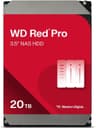
162
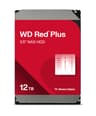
250.2
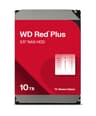
362.3
453.1
552.3
651.4
770
875.9

Prices updated daily from Amazon. Value Score combines price/TB, speed, endurance, and warranty.

The 3-2-1 rule in practice

Keep three copies of business data, on two different kinds of storage, with one copy offsite. For a small office, that usually means the working data, a NAS on site that backs it up automatically, and a cloud or offsite copy of the NAS. Versioned backups let you restore files from before a mistake or a ransomware infection, not just the latest state.

Why NAS-rated drives

NAS drives such as WD Red Pro and Seagate IronWolf Pro are built for 24/7 operation in multi-drive enclosures, with vibration handling and firmware tuned for RAID, and the Pro models carry five-year warranties. Desktop drives and renewed enterprise drives cost less up front, but for the drives holding your business backups, a new NAS-rated drive with a full warranty is the safer choice. That is why this list only includes NAS drives of 8TB and up.

RAID is not a backup

RAID keeps a NAS running when a drive fails, but it copies deletions, corruption and ransomware to every drive instantly. Treat RAID as uptime protection and keep separate, versioned backups, including one that is offline or offsite.

Frequently Asked Questions

How much storage does a small business need for backup?

The 3-2-1 rule: 3 copies of data, on 2 different media, with 1 offsite. For a 10-person office handling documents and email, 4TB is typically sufficient for on-site backup. For businesses storing video, design files, or databases, 8–12TB per backup destination is a realistic starting point.

Should businesses use NAS drives or desktop drives for backup?

NAS-rated drives (WD Red Plus, Seagate IronWolf) for any multi-drive backup system — they handle 24/7 operation and vibration from adjacent drives. Desktop drives can work for single-drive USB backups but aren't rated for continuous operation in NAS enclosures.

Recommended products

Learn more