




How fast your editing drive needs to be
Most cameras record 4K H.264 or H.265 at around 50 to 150 megabits per second, which is only about 6 to 19 MB/s per stream, so almost any SSD plays it back. Apple lists ProRes 422 HQ at 4K and 29.97fps at 707 megabits per second, or about 88 MB/s per stream. A four-camera ProRes multicam edit needs several hundred MB/s, and high-resolution RAW formats need more still.
That is why a PCIe 4.0 NVMe drive, reading at over 7,000 MB/s, never holds an editor back, while a hard drive quickly does once you move beyond single-stream compressed footage.
Internal NVMe or external SSD?
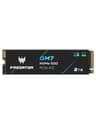
On a desktop, an internal NVMe drive as a dedicated media and cache drive is the fastest and simplest option: no cable, no USB bottleneck. The Samsung 990 Pro and WD_Black SN850X come in capacities up to 4TB, enough for several active projects.
Laptop editors and anyone shooting on location use a portable SSD instead. A 10Gbps drive at around 1,000 MB/s handles most 4K work, including a few streams of ProRes.
A three-drive editing setup
Many editors split storage three ways: the system drive for the OS and apps, a fast NVMe drive for active projects and cache, and large hard drives or a NAS for finished projects and raw archives. Keeping cache and media off the system drive avoids slowdowns when it fills up, and hard drives keep archive storage affordable.