Skip to content
SmartValueLab
DealsBest PicksBlog
CompareBest Picks

Get Weekly Deals

Best-value tech products delivered every week. No spam, unsubscribe anytime.

Weekly deals & value picks. No spam, unsubscribe anytime.

SmartValueLab

Find the best tech deal. Every price. Every product.

Categories

  • SATA SSD
  • NVMe SSD
  • HDD
  • External SSD
  • NAS Drive
  • GPU
  • CPU
  • Monitor
  • External HDD
  • Memory Card
  • USB Drive
  • RAM
  • Motherboard
  • Power Supply
  • CPU Cooler
  • PC Case
  • Router
  • Mesh WiFi System
  • NAS System
  • Webcam
  • Microphone
  • Capture Card
  • Smart Camera
  • Video Doorbell
  • Smart Hub
  • Smart Plug
  • Gaming Monitor
  • Gaming Keyboard
  • Gaming Mouse
  • Gaming Chair
  • Gaming Headset
  • Monitor Stand
  • Gaming Laptop
  • Video Editing Laptop
  • HDMI Cable
  • USB Hub

Buying Guides

  • Best Storage for Gaming PCs
  • Best SSDs for PS5 Expansion
  • Best Storage for Xbox Series X/S
  • Best External SSDs for Mac
  • Best Storage for Video Editing
  • Best Storage for Photographers
  • Best Storage for Content Creators
  • Best NAS Drives for Home Use
  • Best Storage for Business Backup

Tools & Picks

  • Deals & Price Drops
  • Compare Products
  • All Best Picks
  • Best NVMe SSDs
  • Fastest NVMe SSDs
  • Budget NVMe SSDs
  • Buying Guides
  • Tech Blog
About UsContactEmail PreferencesPrivacy PolicyCookie PolicyTermsAffiliate Disclosure

Affiliate disclosure: As an Amazon Associate, SmartValueLab earns from qualifying purchases. We are a participant in the Amazon Services LLC Associates Program, at no extra cost to you. Prices are updated periodically and may differ from those shown. See our full disclosure.

© 2026 SmartValueLab. All rights reserved.

  1. Home
  2. Router

Best WiFi Router Prices

WiFi 6 and WiFi 6E wireless routers. 3 products.

Last updated today

Daily from Amazon

Router Buying Guide

Editor's Note

ISP-provided routers are almost always the weakest link in a home network — underpowered processors, limited RAM, and firmware that stops receiving updates within 2 years. Replacing it with a standalone WiFi 6 router is the highest-ROI networking upgrade for under $150. For gaming, wired Ethernet to a gaming PC eliminates every latency variable except the ISP itself. Where WiFi 7 earns the premium is in very dense multi-device households (30+ devices) or offices — for a family home under 2,000 sq ft, a good WiFi 6 router does everything needed.

— Zoltan Lukacsi, SmartValueLab

Editor's Pick

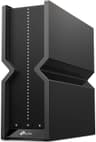
TP-Link Archer AX21

WiFi 6 AX1800 at an entry price that beats most ISP-provided routers on performance and security update frequency. Dual-band with MU-MIMO, supports 1.5 Gbps WAN, and TP-Link's firmware has a consistent update track record. For homes under 2,000 sq ft with an internet plan under 1 Gbps, this covers all needs.

See Pick →

Budget

WiFi 6 router for home basics, $100-150

Mid-Range

WiFi 6E for whole-home coverage, $200-350

Premium

WiFi 7 or mesh for large homes, $400+

Common Mistakes to Avoid

  • ⚠Keeping the ISP router in bridge mode but not replacing it — running your own router behind an ISP router creates double-NAT, which causes gaming lobby issues; put the ISP modem in bridge/passthrough mode so only your router handles NAT
  • ⚠Placing the router in a closed cabinet or behind the TV — WiFi signal attenuates through walls and furniture; the router should be central, elevated, and unobstructed for maximum coverage
  • ⚠Buying WiFi 7 for a 500 Mbps internet plan — your internet plan is the bottleneck, not your router; WiFi 7's multi-gigabit throughput only matters when your WAN speed exceeds 2 Gbps

Specs Explained

  • WiFi 6 vs 6E vs 7 →
  • Router vs Mesh Systems →
  • Gigabit Ethernet Benefits →

Related Use Cases

  • Home Network →
  • Gaming Network →
Price:

3 Router drives

Sort:
#ProductCapacityReadWriteTBWWarrantyScore$/TBPriceBuy
1
NETGEAR 4-Stream WiFi 6 Router (R6700AXS)
NETGEAR 4-Stream WiFi 6 Router (R6700AXS)Best value
Netgear
————3 years89.8

Frequently Asked Questions

Related Resources

Best WiFi Routers →Budget WiFi Routers Under $100 →Guide: How to Choose the Best WiFi Router in 2026 →Guide: Best WiFi 6E Routers 2026: Coverage, Speed & Setup Guide →Guide: Best WiFi Router Under $150: Budget WiFi 6 Picks →Guide: WiFi Extender vs Mesh: Which Should You Buy? →Guide: WiFi Speed Test: How to Test Your Connection & Improve Performance →Guide: Best WiFi 6E Routers for Whole-Home Coverage →Guide: WiFi 6 vs WiFi 6E — Speed, Range, and When to Upgrade →Guide: Best WiFi Routers Under $75: Budget-Friendly Picks →
$0.00/TB
$99.99
Check Price on Amazon
2
ASUS RT-AX55 AX1800 WiFi 6 Router
ASUS RT-AX55 AX1800 WiFi 6 RouterBest value
ASUS
————3 years89.8$0.00/TB
$109.99
Check Price on Amazon
3
TP-Link Archer AX21 WiFi 6 Router
TP-Link
————2 years86.8$0.00/TB
$47.95
Check Price on Amazon
Do I need WiFi 6 or WiFi 6E?

WiFi 6 (802.11ax) is the mainstream standard in 2026 — faster, more efficient, and better in device-dense homes than WiFi 5. WiFi 6E adds a clean 6GHz band for less interference and higher speeds, worth it if you have WiFi 6E client devices and live in a congested area. For most homes, a quality WiFi 6 router (AX3000–AX6000) is the value sweet spot.

What router speed do I actually need?

Match the router to your internet plan and device count. For internet under 500 Mbps with 10–20 devices: AX1800–AX3000 is plenty. For gigabit internet or 30+ devices: AX5400–AX6000. The 'AX' number is combined theoretical bandwidth across bands — real-world single-device speed is lower but the higher tiers handle congestion better.

Should I buy a router or use my ISP's?

Buying your own router almost always gives better range, speed, and features than an ISP-rented gateway — and saves the monthly rental fee (often $10–15/month, paying for itself in under a year). You can keep the ISP modem and disable its WiFi, or use a separate modem. Our Value Score ranks routers by speed per dollar.

What is the best router for gaming?

For gaming, low latency and a stable 5GHz connection matter more than peak theoretical speeds. Any modern WiFi 6 router (TP-Link Archer AX55, ASUS RT-AX86U) delivers sub-5ms latency on a direct 5GHz connection. QoS (Quality of Service) settings help prioritize gaming traffic on congested networks. For competitive gaming, a wired Ethernet connection beats any router upgrade — use the router for other devices and run a cable to your gaming PC or console.

How far does a WiFi 6 router reach?

A single WiFi 6 router covers 1,500–2,500 sq ft in a typical home with standard walls. Thick concrete or brick walls reduce range by 30–50%. Dual-band routers (2.4GHz + 5GHz) provide more range on 2.4GHz and faster speeds at close range on 5GHz. If your home exceeds 2,500 sq ft or has dead zones, a mesh WiFi system will provide more reliable whole-home coverage than boosting a single router's power.

Does router placement affect WiFi speed?

Significantly. Place your router centrally, elevated off the floor, away from thick walls, microwaves, and cordless phones (which cause 2.4GHz interference). A router in a corner cabinet on the ground floor will cover perhaps 40% of the home effectively vs centrally mounted at waist height. For a two-story home, place the router on the first-floor ceiling or second-floor floor level to split coverage evenly between floors.

Guide: TP-Link vs ASUS: Which WiFi Router Brand Wins? →
Best WiFi Router for Gaming 2026: Low Latency, Not Just Speed →
Best WiFi 6 Router for Home 2026: Speed, Range, and Value Ranked →
WiFi 6E Explained: Is It Worth Upgrading From WiFi 6? →
home nas →
business backup →