Buying Guide

Best Storage for Content Creators

Content creators juggle footage, assets, and exports across multiple drives. The ideal setup: a fast NVMe SSD for active project files and timeline rendering, and a portable SSD for footage offloading and client delivery.

Top picks — ranked by value score

#ProductScore
1
Samsung SSD 9100 PRO 1TB
Samsung · NVMe SSD
73.5
2
Samsung SSD 9100 PRO 2TB
Samsung · NVMe SSD
77.2
3
Samsung 990 Pro 1TB
Samsung · NVMe SSD
66.1
4
Samsung 990 Pro 2TB
Samsung · NVMe SSD
66.2
5
Samsung 990 Pro 4TB NVMe SSD
Samsung · NVMe SSD
63.5
6
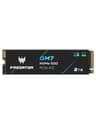
Acer Predator GM7 2TB
Acer · NVMe SSD
64.4
750.7
8
WD Black SN850X 1TB
WD · NVMe SSD
63.4

Prices updated daily from Amazon. Value Score combines price/TB, speed, endurance, and warranty.

Match each drive to its job

Creators get the best results from storage split by job. A fast internal NVMe drive holds active projects, cache and renders; a portable SSD handles offloading cameras and delivering files to clients; and large hard drives or a NAS keep finished projects and raw footage. Each drive is doing what it is best at, and no single drive fills up and slows everything down.

Is PCIe 5.0 worth it for creators?

PCIe 5.0 drives such as the Samsung 9100 Pro read at up to 14,700 MB/s, roughly double the fastest PCIe 4.0 drives. That helps with very large file copies and some cache-heavy editing, but a good PCIe 4.0 drive like the Samsung 990 Pro is already faster than most editing timelines need. PCIe 5.0 also needs a PCIe 5.0 M.2 slot on the motherboard and a heatsink, so check your board before paying extra.

How fast footage fills a drive

Storage needs depend heavily on the codec. At 100 megabits per second, typical for 4K camera H.265, an hour of footage is about 45GB. Apple ProRes 422 HQ at 4K 29.97fps runs at 707 megabits per second, or roughly 318GB per hour. If you shoot ProRes or RAW, plan storage in terabytes per month rather than per year.

Frequently Asked Questions

What storage do YouTubers use?

Most YouTubers use a combination: a fast NVMe SSD (1TB to 2TB) for active editing projects, a large hard drive or NAS for footage archives, and a portable SSD for backing up cameras on shoots. The Samsung T9 and SanDisk Extreme are popular portable choices.

How much storage do I need for a YouTube channel?

It depends on the codec. 4K H.265 at 100 megabits per second uses about 45GB per hour of footage, while ProRes 422 HQ at 4K uses around 318GB per hour. A 1TB NVMe drive holds several active projects; for archives, a 4TB or larger hard drive or NAS is the usual starting point, and active creators can fill more than 1TB a month.

Recommended products

Learn more