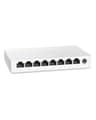
Unmanaged, smart managed, PoE and multi-gig Ethernet switches. 13 products.
Last updated today
Daily from Amazon
Network Switch Buying Guide
Editor's Note
Most homes need nothing more than an unmanaged gigabit switch, which is fanless, silent and plug and play. Spend more only for a specific reason: 2.5G ports when your internet plan or NAS is faster than 1Gbps, PoE when you want to power cameras or access points over Ethernet, or a smart managed model when you want to put smart home devices on their own VLAN. Every switch here works with ordinary gigabit devices, so buying a little ahead of your needs is safe.
Eight gigabit ports in a fanless metal case with shielded ports, and a long record behind it with more than 40,000 ratings. Eight ports cover a typical desk or entertainment centre with room to grow, at a price close to five-port models.
What is the difference between a network switch and a router?
A router connects your home network to the internet and hands out addresses to devices. A switch simply adds more wired Ethernet ports to the same network. Plug the switch into one of your router's LAN ports and every device connected to the switch gets internet access and can talk to the other devices on your network.
Will a network switch slow down my internet?
No. An unmanaged gigabit switch forwards traffic at full wire speed and adds no noticeable delay. Every device on the switch does share the single cable back to the router, so if several devices download at full speed at once they split that link, but for a typical home internet plan the internet connection is the bottleneck, not the switch.
Do I need a 2.5G or 10G switch?
Only if your devices and connection can use it. A 2.5G switch helps when your internet plan is faster than 1Gbps or you move large files between a NAS and a PC that both have 2.5G ports. Gigabit devices still work on a multi-gig switch at 1Gbps. 10G ports matter mainly for NAS and workstation setups with 10G network cards.
Unmanaged or managed switch?
Unmanaged switches are plug and play with nothing to configure, which is what most homes need. Smart managed switches such as the NETGEAR GS308E add a web interface for VLANs, quality of service and port monitoring, which is useful for isolating smart home devices on their own network or prioritising a work computer. They still work as a plain switch if you never change a setting.
What is a PoE switch and when do I need one?
PoE (Power over Ethernet) switches send power and data over the same cable, so security cameras, WiFi access points and VoIP phones need no separate power adapter. Check two numbers: the number of PoE ports and the total PoE power budget in watts. The total budget has to cover every powered device at once, so add up each device's rated draw before buying.
How many ports should my switch have?
Count the wired devices you want to connect, add one port for the cable back to your router, then leave a couple spare. An 8-port switch is the sweet spot for most homes: enough for a PC, console, TV, streaming box and NAS with room to grow. Home labs and offices with many wired devices are better served by a 16 or 24-port model.