M.2 NVMe SSD enclosures from 10Gbps USB to 40Gbps USB4. 12 products.
Last updated today
Daily from Amazon
Editor's Note
Match the enclosure to the port you actually have, not the fastest number on the box. A 10Gbps enclosure is the right choice for most people: it works at full speed on almost any USB-C port and already copies files several times faster than a portable hard drive. 20Gbps enclosures only reach full speed on Windows PCs with a USB 3.2 Gen 2x2 port, which is rare, and Macs fall back to 10Gbps. 40Gbps USB4 enclosures are the real step up, and worth it for editing video straight off the drive on a Mac or a USB4 laptop.
— Zoltan Lukacsi, SmartValueLab
Editor's Pick
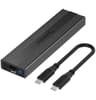
Tool-free, aluminium, and it accepts every common M.2 size from 2230 to 2280 in both M and B+M key. It ships with USB-C and USB-A cables, so it works with older computers too, and its rating holds up across more than 17,000 buyers.
Budget
10Gbps USB-C aluminium enclosure for backups and reusing an old drive
Mid-Range
20Gbps enclosure for Windows PCs with a USB 3.2 Gen 2x2 port
Premium
40Gbps USB4 or Thunderbolt enclosure for video editing on Mac or PC
Common Mistakes to Avoid
Related Use Cases
12 NVMe Enclosure products
| # | Product | Read | Warranty | Score | Price | Buy |
|---|---|---|---|---|---|---|
| 1 | UGREEN $26.98 Check Price on Amazon | — | — | 86.8 | $26.98 | Check Price on Amazon |
| 2 | $15.99 Check Price on Amazon | — | — | 76.6 | $15.99 | Check Price on Amazon |
| 3 | $16.99 Check Price on Amazon | — | — | 73.4 | $16.99 | Check Price on Amazon |
| 4 | $69.99 Check Price on Amazon | — | — | 71.9 | $69.99 | Check Price on Amazon |
| 5 | $18.99 Check Price on Amazon | — | — | 67.9 | $18.99 | Check Price on Amazon |
| 6 | $18.99 Check Price on Amazon | — | — | 67.9 | $18.99 | Check Price on Amazon |
| 7 | $19.99 Check Price on Amazon | — | — | 65.6 | $19.99 | Check Price on Amazon |
| 8 | $89.99 Check Price on Amazon | 3.9 GB/s | — | 60.7 | $89.99 | Check Price on Amazon |
| 9 | $29.95 Check Price on Amazon | — | — | 51 | $29.95 | Check Price on Amazon |
| 10 | $38.99 Check Price on Amazon | — | 1 year | 42.2 | $38.99 | Check Price on Amazon |
| 11 | $49.99 Check Price on Amazon | — | — | 39.3 | $49.99 | Check Price on Amazon |
| 12 | $51.06 Check Price on Amazon | — | 1 year | 36.9 | $51.06 | Check Price on Amazon |
Often, yes. An enclosure plus an M.2 NVMe drive usually costs less than a branded portable SSD of the same capacity and speed tier, and it is almost free if you already have a spare drive from a laptop or desktop upgrade. You also choose the SSD yourself, so you can pick a drive with higher endurance or a longer warranty than most portable SSDs offer.
They match the USB standard the enclosure uses. 10Gbps (USB 3.2 Gen 2) enclosures reach roughly 1,000 MB/s in practice, 20Gbps (USB 3.2 Gen 2x2) about 2,000 MB/s, and 40Gbps (USB4 or Thunderbolt) roughly 3,000 MB/s or more. You only get the higher speed if your computer's port supports that standard: Macs do not support USB 3.2 Gen 2x2, so a 20Gbps enclosure runs at 10Gbps on a Mac, while a USB4 or Thunderbolt enclosure runs at full speed on Apple Silicon Macs.
Only if it is a dual-protocol model. NVMe-only enclosures cannot read M.2 SATA drives, even though both use the same M.2 slot shape. If you have an older M.2 SATA drive, choose an enclosure listed as NVMe and SATA, such as the Sabrent EC-SNVE or SSK SHE-C325 Pro. USB4 and Thunderbolt enclosures are almost always NVMe-only.
Most enclosures accept 2242, 2260 and 2280 drives, and many also fit the short 2230 size used in the Steam Deck and some laptops. The number is the drive's width and length in millimetres (2280 = 22 mm wide, 80 mm long). Check the listing before buying a 2230 drive, because some popular enclosures start at 2242.
Fast NVMe drives heat up during long transfers and can slow down to protect themselves. Aluminium enclosures act as a heatsink, and most include a thermal pad to connect the drive to the case. 40Gbps USB4 enclosures run hotter because the controller works harder, so some include a small fan. For occasional backups, a passive aluminium 10Gbps enclosure is plenty.
Yes, as USB extended storage. A PS5 can store PS5 games on a USB drive and play PS4 games from it, but PS5 games must be copied back to internal storage to play. An Xbox Series X|S can play Xbox One and older games from USB storage and store Series X|S games there for faster reinstalls. For playing PS5 games directly, install an M.2 NVMe drive in the console's internal expansion slot instead.