Buying Guide

Best NAS Drives for Home Use

A home NAS is the best way to store your media library, photos, and backups with redundancy. For a 2-bay home NAS, 4–8TB per drive is the sweet spot — enough capacity for years of media growth with RAID 1 protection.

Top picks — ranked by value score

#ProductScore
175.9
273
370
462.3
562
655.8
755.3
853.1

Prices updated daily from Amazon. Value Score combines price/TB, speed, endurance, and warranty.

Buy CMR drives, not SMR

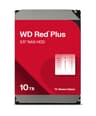
NAS drives should use CMR (conventional magnetic recording). SMR drives can slow to a crawl when a RAID array rebuilds after a drive failure, which is exactly when you need them most. Every drive on this page is a CMR NAS drive: WD Red Plus and Red Pro, Seagate IronWolf and IronWolf Pro, and Toshiba N300. Avoid the older WD Red line without the Plus, which uses SMR.

Plus or Pro?

The standard NAS drives, WD Red Plus and Seagate IronWolf, carry three-year warranties and suit home NAS boxes with up to eight bays. The Pro models, WD Red Pro and IronWolf Pro, carry five-year warranties and are rated for larger systems and heavier workloads. For a two- or four-bay home NAS, the standard drives are the better value; buy Pro drives for bigger arrays or if the NAS runs heavy workloads around the clock.

Synology drive compatibility in 2026

Synology's 2025 Plus-series NAS models initially accepted only Synology-branded drives for new storage pools. DSM 7.3 reversed that, so third-party NAS hard drives such as WD Red and IronWolf work again, although Synology still recommends drives from its compatibility list and M.2 SSD storage pools still need listed drives. Older Synology models were not affected. Check the compatibility list for your exact model before buying.

Frequently Asked Questions

What NAS drives work with Synology?

WD Red Plus, WD Red Pro, Seagate IronWolf, IronWolf Pro and Toshiba N300 are CMR NAS drives that work in Synology units. On 2025 Plus-series models, DSM 7.3 restored support for third-party hard drives, though Synology still recommends drives from its compatibility list and M.2 storage pools still require listed drives. Check the list for your model.

How many bays does a home NAS need?

A 2-bay NAS with RAID 1 suits most homes: it gives you one drive's worth of usable storage with full redundancy. A 4-bay NAS with RAID 5 gives three drives' worth of usable capacity with protection against one drive failure. Start with 2 bays unless you already have a lot of data or expect it to grow quickly.

Is RAID a backup?

No. RAID protects against a drive failing, but not against deleting files, ransomware or losing the whole NAS. Keep a separate backup, ideally including one copy offsite or in the cloud.

Recommended products

Learn more