Best External Hard Drive Prices
Portable and desktop external hard drives. 14 products.
Last updated today
Daily from Amazon
External HDD Buying Guide
Editor's Note
External HDDs are the most cost-effective way to store 4–8TB of data outside a NAS. Bus-powered 2.5-inch drives (WD My Passport, Seagate Portable) draw power from the USB cable — convenient but limited to 5TB at 2.5 inches. Anything larger requires a 3.5-inch drive with an AC adapter. For long-term archiving, always store the drive in its case and in a cool, dry location — external HDDs kept at room temperature in their original enclosure outlast drives left exposed on a desk by years.
— Zoltan Lukacsi, SmartValueLab
Editor's Pick
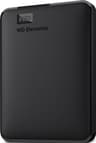
WD My Passport 4TB
See Pick →Bus-powered, no AC adapter needed, and the WD software includes hardware encryption. At 4TB it covers most home users' backup needs in a pocket-sized form factor, and WD's track record on My Passport reliability is better than competing portable drives at this price.
Budget
2TB portable for basic backup, $80-120
Mid-Range
4TB for photo/video backup, $120-200
Premium
6-8TB for large media libraries, $200+
Common Mistakes to Avoid
- ⚠Buying a 3.5-inch portable drive expecting bus-power — 3.5-inch HDDs draw more power than USB can supply; they require an AC adapter and don't work when moving between desks without a power outlet
- ⚠Formatting for the wrong OS — external HDDs from retailers often ship as NTFS (Windows-only) or exFAT; macOS reads NTFS but can't write to it without third-party software, which causes 'read-only' confusion
- ⚠Relying on a single external HDD as the only backup — drives fail without warning; a second backup to cloud storage (Backblaze, iCloud) provides the offsite copy that protects against theft and fire
Related Use Cases
Capacity:
Price:
14 External HDD drives
Sort:
| # | Product | Capacity | Read | Write | Warranty | Score | $/TB | Price | Buy |
|---|---|---|---|---|---|---|---|---|---|
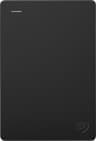
| 1 |  Seagate Portable 5TBBest value Seagate$219.99 Check Price on Amazon | 5TB | 130 MB/s | 120 MB/s | 2 years | 71.7 |
Frequently Asked Questions
What is the best external hard drive in 2026?
Related Resources
Best External Hard Drives →Guide: External HDD vs SSD: Which for Backup? →Guide: Best Portable Hard Drives for Backup & Travel →Guide: Best SATA Docks for External Storage →Guide: 3-2-1 Backup Rule: The Best Way to Protect Your Data →Guide: Best External Hard Drives Under $100: Cheap Backup Storage →Guide: Cloud Backup vs NAS vs External: Which Backup Method? →home nas →business backup →photography storage →