Best NVMe SSD in 2026: Gen4 and Gen5 Picks for Every Build
The best NVMe SSDs for gaming PCs and laptops in 2026 — fastest Gen4, best value, highest capacity, and now Gen5 (PCIe 5.0). Ranked by real speed, endurance, and price.
An NVMe SSD is the single best value upgrade in a modern PC — near-instant boots, fast game loads, and (with DirectStorage) lower in-game stutter. But the gap between the best and the merely adequate is real. Here are the NVMe drives worth buying in 2026, sorted by what you need them for.
What actually matters
- Gen4 vs Gen5 vs Gen3: Gen4 (~7,000 MB/s) is the standard in 2026 and barely costs more than Gen3 (~3,500 MB/s). Gen5 drives reach 14,500 MB/s but run very hot, require active cooling, and offer little real-world gaming benefit over Gen4 — see PCIe 4 vs PCIe 5. For content creation with heavy sequential I/O, Gen5 has a case.
- DRAM cache: DRAM-equipped drives (990 Pro, SN850X, FireCuda 530) sustain heavy writes far better than budget DRAM-less drives.
- Endurance (TBW): matters if you write huge files constantly. For typical gaming, any modern drive outlasts the PC.
- Capacity: 1TB is the practical minimum in 2026; 2TB is the value sweet spot as games balloon past 100GB each.
Best picks
| Use case | Pick | Speed |
|---|---|---|
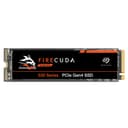
| Best overall | Seagate FireCuda 530 1TB | 7,300 MB/s |
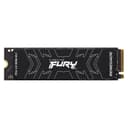
| Best value | Kingston Fury Renegade 1TB | 7,300 MB/s |
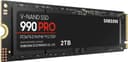
| Fastest | Samsung 990 Pro 2TB | 7,450 MB/s |
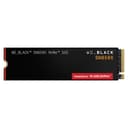
| Max capacity | WD Black SN850X 4TB | 7,300 MB/s |
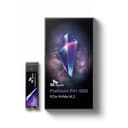
| Most efficient (laptops) | SK Hynix Platinum P41 1TB | 7,000 MB/s |
| Best budget (Gen3) | Samsung 980 1TB | 3,500 MB/s |
| Fastest (Gen5) 1TB | Samsung 9100 PRO 1TB | 14,500 MB/s |
| Fastest (Gen5) 2TB | Samsung 9100 PRO 2TB | 14,500 MB/s |
Why these picks
The Seagate FireCuda 530 is our top-value NVMe drive overall: top-tier Gen4 speed, a DRAM cache, and the highest endurance rating in its class. The Kingston Fury Renegade matches it on speed for less — the value pick for most gaming builds. Want the absolute fastest and most power-efficient controller? The Samsung 990 Pro leads, and comes in 1TB and 4TB too.
For maximum space, the WD Black SN850X 4TB stores a huge library at full Gen4 speed. The SK Hynix Platinum P41 runs cool and sips power — ideal in a laptop. And if budget is tight or your board is Gen3, the Samsung 980is the reliable value entry, though the small premium for Gen4 is usually worth it. If you're still deciding, our NVMe vs SATA breakdown covers the basics.
If maximum sequential speed is the priority — large video project ingestion, heavy AI dataset work — the Samsung 9100 PRO 1TB and Samsung 9100 PRO 2TBare the Gen5 picks: 14,500 MB/s read, PCIe 5.0, with a mandatory heatsink. The drive runs significantly hotter than any Gen4 option — plan for active cooling from your motherboard's M.2 slot cover.
Buying for a PS5?
Console expansion has different rules — Gen4, 5,500 MB/s+, and a mandatory heatsink. See our dedicated best SSD for PS5 guide.
Compare NVMe SSDs →
Every Gen4 NVMe drive ranked by read speed, endurance, and price per terabyte.
Frequently Asked Questions
Is a Gen5 NVMe SSD worth it over Gen4 for gaming?
Not for most gamers. Gen5 drives are faster on paper but run hot (often needing a fan-cooled heatsink) and deliver little real-world gaming benefit over Gen4 — game load times barely differ. Gen4 is the value sweet spot in 2026.
How much NVMe storage do I need?
1TB is the practical minimum in 2026, but 2TB is the value sweet spot as modern games routinely exceed 100GB each. Go 4TB if you keep a large library installed and don't want to manage storage.
Do I need an SSD with DRAM cache?
For sustained heavy writes, yes — DRAM-equipped drives (990 Pro, SN850X, FireCuda 530) hold speed far better than budget DRAM-less drives. For typical gaming and everyday use, a good DRAM-less drive is fine, but the premium DRAM drives are more consistent.
Is NVMe actually faster than a SATA SSD for gaming?
Sequential speeds are 10x+ higher, but in practice game load times are often similar because games aren't purely sequential. NVMe's real edge shows with DirectStorage-enabled titles and large file transfers. Either SSD massively beats a hard drive.