Best SSD for PS5 in 2026: Gen4 NVMe Picks That Actually Fit
The PS5 needs a Gen4 M.2 SSD rated 5,500 MB/s+ with a heatsink. The best PS5 storage expansion drives at 1TB, 2TB, and 4TB — tested specs, not guesses.
The PS5's internal SSD fills up fast — a single Call of Duty install can eat 200GB. The good news: the console has an M.2 expansion slot under the side panel that lets you add a second NVMe drive and run PS5 games directly from it, no copying back and forth. The catch is that not every NVMe SSD works. Sony has specific requirements, and a drive that ignores them will either be rejected at setup or throttle under load.
What the PS5 actually requires
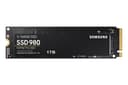
- Interface: PCIe Gen4 x4 M.2 NVMe. Gen3 drives (like the Samsung 980) are rejected — too slow.
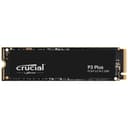
- Sequential read speed: Sony recommends 5,500 MB/s or faster. This is the one spec people get wrong — a cheap Gen4 drive rated 5,000 MB/s (like the Crucial P3 Plus) technically installs but sits below Sony's threshold and isn't recommended.
- Form factor: M.2 2280 is by far the most common and what every pick below uses. The slot also accepts 2230/2242/2260/22110.
- Heatsink: required. The PS5 bay has no airflow, so the drive needs a heatsink to avoid thermal throttling. More on this below.
- Capacity: 250GB to 8TB supported.
Do you really need a heatsink? Yes.
This trips up more buyers than anything else. A bare M.2 SSD will run in the PS5, but the enclosed bay traps heat, and a Gen4 drive pushing 7,000 MB/s gets hot. Without a heatsink it throttles — and in the worst case the PS5 warns you and shuts the drive off. Two ways to satisfy this: buy a drive that ships with a low-profile heatsink (the simplest option), or buy a bare drive and add a $10 aftermarket PS5 heatsink. The heatsink must be low-profile (under ~8mm tall) to clear the bay cover.
Best PS5 SSD picks
| Use case | Pick | Read speed |
|---|---|---|
| Best overall | WD Black SN850X 1TB | 7,300 MB/s |
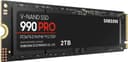
| Fastest | Samsung 990 Pro 2TB | 7,450 MB/s |
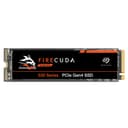
| Best endurance | Seagate FireCuda 530 1TB | 7,300 MB/s |
| Best value | Kingston Fury Renegade 1TB | 7,300 MB/s |
| Max capacity | WD Black SN850X 4TB | 7,300 MB/s |
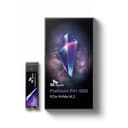
| Runs coolest | SK Hynix Platinum P41 1TB | 7,000 MB/s |
Why these picks
WD Black SN850Xis the default recommendation: it's offered in a PS5-ready heatsink version, comfortably clears the 5,500 MB/s bar at 7,300 MB/s, and stays cool under sustained load. The 4TB model is the one to get if you want to stop managing storage for good.
Samsung 990 Pro is the fastest drive here at 7,450 MB/s and the most power-efficient, which matters in a hot enclosure. Buy the heatsink variant, or add your own — the bare model is otherwise identical. Available at 1TB, 2TB, and 4TB.
Seagate FireCuda 530has the highest endurance rating of any drive on this list (up to 5,100 TBW at 4TB), so it's the pick if you rewrite huge game libraries constantly. Kingston Fury Renegade matches the big names on speed for less money — the value play. And the SK Hynix Platinum P41is famous for running cool and sipping power; pair it with a low-profile heatsink and it's one of the most thermally stable choices.
How much capacity should you buy?
1TB roughly doubles your usable PS5 storage and holds 8–12 big games — fine if you finish and delete. 2TB is the sweet spot for most players and where price-per-terabyte is best in 2026. Go 4TB only if you keep a large library installed permanently. Skip 500GB; it fills up almost immediately.
Installing it (5 minutes)
Power off and unplug the PS5, remove the white side panel, unscrew the expansion-slot cover, seat the drive at an angle and screw it down, replace the cover and panel, then power on. The PS5 prompts you to format the drive — that takes seconds, and you're done. No tools beyond a Phillips screwdriver.
Internal NVMe vs an external SSD
Only an internal M.2 drive lets you play PS5 games directly from the expansion. An external USB SSD is cheaper and great for archiving and for playing PS4 titles, but PS5 games stored on it must be copied back to internal storage first. If you want true zero-compromise expansion, go internal. If you mostly want a cheap holding pen for your backlog, see our best external SSD for gaming guide.
Compare NVMe SSDs →
Every Gen4 NVMe drive ranked by read speed, endurance, and price per terabyte.
Frequently Asked Questions
Does a PS5 SSD need a heatsink?
Yes. The PS5's M.2 bay has no active airflow, so a Gen4 drive running at 7,000 MB/s will thermally throttle without one. Either buy a drive that ships with a low-profile heatsink, or add a $10 aftermarket PS5 heatsink — it must be under roughly 8mm tall to clear the bay cover.
What speed SSD does the PS5 require?
Sony recommends a sequential read speed of at least 5,500 MB/s. Most quality Gen4 drives (7,000–7,450 MB/s) clear this easily. A cheaper Gen4 drive rated 5,000 MB/s will install but sits below Sony's threshold and isn't recommended.
Can you play PS5 games directly from an internal M.2 SSD?
Yes. Unlike an external USB SSD (which can only store PS5 games, not run them), a drive in the internal M.2 expansion slot lets you install and play PS5 games directly with no copying back and forth.
How much SSD storage should I add to my PS5?
1TB roughly doubles usable space and holds 8–12 large games — fine if you finish and delete. 2TB is the sweet spot for most players. Go 4TB only if you keep a big library installed permanently. Skip 500GB; it fills up almost immediately.