Best External SSD for iPhone 18 Pro: ProRes 4K120 Recording Explained
iPhone 18 Pro records ProRes at 4K120 only to an external drive. Apple's exact requirements (440 MB/s, 10Gb/s cable, exFAT) and which portable SSDs clear them.
The iPhone 18 Pro and 18 Pro Max shoot ProRes video at up to 4K and 120 frames per second, but Apple's spec sheet adds a condition: that mode needs external recording. The footage goes straight from the camera to a drive plugged into the USB-C port. Pick a drive that is too slow and Apple says you may see a "Slow Recording Speed" message.
The good news is that the requirements are published, specific, and easy for a mainstream portable SSD to meet. You do not need the fastest drive on the market. In fact, the fastest ones are wasted on a phone.
Apple's requirements for external ProRes recording
- Write speed: at least 220 MB/s for 4K60 ProRes, and at least 440 MB/s for 4K120 ProRes.
- Cable: a USB 3 cable rated for at least 10Gb/s. A basic charging cable is often USB 2 speed and will not work.
- File system: exFAT. Password-encrypted drives are not supported.
- Power: Apple caps what the phone will supply to the drive at 4.5W. A drive that needs more has to be powered separately.
Why a 10Gbps drive is the right buy
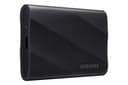
The iPhone 18 Pro's USB-C port runs at USB 3 speeds up to 10Gb/s. That caps real transfers at roughly 1,000 MB/s, which is more than double the 440 MB/s needed for 4K120. A 20Gbps drive such as the Samsung T9 is excellent on a computer with a 20Gbps port, but plugged into an iPhone it drops to the same 10Gb/s as a cheaper drive. For phone recording, spend the difference on capacity instead.
Our picks
| Drive | Rated write | Interface | Warranty | 4K120 ProRes? |
|---|---|---|---|---|
| SanDisk Extreme 2TB | 1,000 MB/s | 10Gbps | 5 years | Yes |
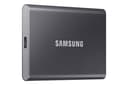
| Samsung T7 1TB | 1,000 MB/s | 10Gbps | 3 years | Yes |
| Samsung T7 2TB | 1,000 MB/s | 10Gbps | 3 years | Yes |
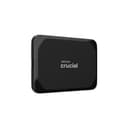
| Crucial X9 1TB | 900 MB/s | 10Gbps | 3 years | Yes |
For most iPhone 18 Pro owners the SanDisk Extreme 2TB is the pick. It matches the Samsung T7 on rated speed, adds a five-year warranty and an IP-rated, drop-resistant shell, and at the time of writing our daily price tracking has it cheaper than the T7 2TB. On a camera rig, the tougher shell matters more than it would on a desk.
On a tighter budget, the Crucial X9 1TB costs far less than any other drive in the table, and its 900 MB/s rating still clears the 440 MB/s bar with room to spare. The Samsung T7is the most proven option, with more than 21,000 Amazon reviews at 4.7 stars, so it is worth buying whenever its price dips close to the others. Prices move daily; each product page shows today's.
Rated speeds are peak figures. Long, continuous recording is the hardest workload for any SSD, so a drive with plenty of headroom above 440 MB/s is safer than one that only just clears it.
How much capacity do you need?
Apple says ProRes files can be up to 30 times larger than standard HEVC video. For planning, work from Apple's minimum write speeds: 220 MB/s is about 13GB per minute of 4K60, and 440 MB/s is about 26GB per minute of 4K120. Treat those as worst-case figures.
| Drive size | 4K60 ProRes (approx.) | 4K120 ProRes (approx.) |
|---|---|---|
| 1TB | 75 minutes | 38 minutes |
| 2TB | 150 minutes | 75 minutes |
If you shoot 4K120 regularly, 2TB is the sensible minimum. Browse every portable drive we track, ranked by value score, on the external SSD rankings.
The DIY route: an NVMe enclosure
If you already own a spare M.2 NVMe SSD, a 10Gbps enclosure such as the UGREEN 10Gbps NVMe enclosure turns it into a portable drive that matches the phone's port speed. Watch the 4.5W power limit: some high-performance NVMe drives can draw more than that under sustained writes, so test a full-length recording before relying on it for a shoot.
Setting it up
- Format the drive as exFAT on a Mac (Disk Utility) or Windows PC (File Explorer, Format).
- On the iPhone, open Settings, tap Camera, then Formats, and turn on Apple ProRes under Video Capture.
- Connect the drive with a 10Gb/s USB 3 cable. The short cable that ships with most portable SSDs is usually the right kind.
- Open the Camera app, switch to Video, and enable ProRes. Recording goes to the external drive while it is connected.
The same drive works for ProRes recording on iPhone 15 Pro, 16 Pro and 17 Pro models, and it will cover the base iPhone 18 if that model gets external recording when it arrives in spring 2027.
Frequently Asked Questions
Do you need an external SSD to record ProRes 4K120 on iPhone 18 Pro?
Yes. Apple's iPhone 18 Pro spec sheet lists ProRes video recording up to 4K at 120 fps with external recording. At 4K120, ProRes has to be written to a drive connected over USB-C rather than to the phone's internal storage.
How fast does an external SSD need to be for iPhone ProRes?
Apple requires a write speed of at least 220 MB/s for 4K60 ProRes and at least 440 MB/s for 4K120 ProRes. Mainstream portable SSDs rated around 1,000 MB/s write clear both thresholds comfortably.
Is a 20Gbps SSD like the Samsung T9 faster on iPhone 18 Pro?
No. The iPhone 18 Pro's USB-C port runs at USB 3 speeds up to 10Gb/s, so a 20Gbps (USB 3.2 Gen 2x2) drive falls back to 10Gb/s when connected to the phone. It still works, but you are paying for speed the phone cannot use.
What format does an external SSD need for iPhone ProRes recording?
exFAT. Apple states the drive must be formatted as exFAT and that password-encrypted drives are not supported. Most portable SSDs ship as exFAT, but check before a shoot and reformat on a Mac or PC if needed.
Does this work on iPhone 15 Pro, 16 Pro or 17 Pro?
Yes. Apple lists iPhone 15 Pro, 16 Pro and 17 Pro models as supporting ProRes recording directly to external USB-C storage, with the same write speed, cable and exFAT requirements. The drives in this guide work across all of them.