Ultrawide vs 16:9 Gaming Monitor: Is 21:9 Worth It in 2026?
3440×1440 ultrawide renders 34% more pixels than 2560×1440. Game support, GPU requirements, desk space, and who should buy 21:9 for gaming in 2026.
The short answer
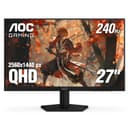
A 3440×1440 ultrawide renders 4,953,600 pixels per frame, 34% more than a 2560×1440 16:9 panel at 3,686,400 pixels. That extra width adds peripheral immersion in single-player and open-world games, and it asks up to about a third more of your GPU at the same settings. Some competitive shooters limit the picture to 16:9 and leave black bars on the sides. If your library is mostly single-player games and your GPU can sustain 100+ fps at 3440×1440, ultrawide is the better experience. If you play primarily competitive FPS, the AOC 27-inch QHD 240Hz at about $160 at the time of writing is the smarter purchase.
What the pixel count difference means
The 21:9 aspect ratio stretches the frame horizontally without changing vertical resolution. A 3440×1440 panel and a 2560×1440 panel share the same 1,440-line vertical resolution. The difference is 880 extra horizontal pixels. In games that support 21:9 natively, those extra pixels expand the field of view left and right. You see more of the world without zooming out or reducing UI size.
The arithmetic is straightforward: 3,440 × 1,440 = 4,953,600 pixels. 2,560 × 1,440 = 3,686,400 pixels. The difference is 1,267,200 pixels per frame, or 34.4% more pixels for your GPU to render. In games where the graphics card is the bottleneck, that is roughly the upper limit of the frame rate drop you should expect moving from 1440p to ultrawide.
GPU requirements for 3440×1440
In GPU-limited games, frame rate falls roughly in line with the extra pixels, and usually a little less. A card averaging 144 fps at 2560×1440 might land somewhere around 110 fps at 3440×1440 with the same settings. That makes ultrawide a comfortable fit for upper-mid-range and high-end cards, while entry-level cards will need lower settings or upscaling to keep frame rates high.
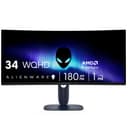
Video memory matters too. Some newer games at high texture settings already strain 8 GB cards at 1440p, and a wider frame adds to that, so 12 GB or more is the safer target for ultrawide. If you are pairing a 180Hz ultrawide such as the Alienware AW3425DWM (about $350 at the time of writing) with an existing mid-range GPU, look up benchmarks for your card at 3440×1440 before buying the monitor.
Game support: single-player vs competitive
Most recent AAA single-player and open-world games support 21:9 natively: the wider field of view renders at full resolution and the extra width fills with game world. Competitive multiplayer titles are less consistent. Some limit the picture to 16:9 and add black bars on an ultrawide, and others fix the field of view so that a wider screen gives no gameplay advantage. Check the games you play most before buying, since support can also change with patches.
This split matters for buying decisions. If your game library runs 70–80% single-player open-world titles, ultrawide adds consistent real value. If half your gaming hours are in competitive FPS, you will spend a noticeable portion of that time looking at letterboxed output on a screen you paid extra for.
Curve, desk space, and productivity
Most 34-inch ultrawides ship with an 1800R or 1500R curve. At this panel size, the curve keeps the edges of the screen at a more even distance from your eyes, which makes a wide panel easier to take in from a normal seating position. The panel itself is about 80 cm wide, roughly 20 cm wider than a 27-inch 16:9 monitor, and the curve plus stand also take up more desk depth. Plan for a desk at least 60 cm deep to sit at a comfortable distance.
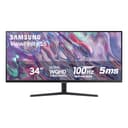
For productivity, the ultrawide format is the stronger choice. Running two windows side by side on a 3440×1440 screen gives each one 1,720 pixels of width, a little less than a full 1080p screen, with no bezel gap in the middle. That is a comfortable replacement for a small dual-monitor setup. The Samsung ViewFinity S50GC 34-inch (about $306 at the time of writing, 100Hz, 4.4 stars from 1,087 reviews) is the productivity-oriented 34-inch in this category. At 100Hz it sits below the refresh rate of a gaming monitor, but for dual-window work it handles that use case without the premium of a high-refresh gaming panel.
Ultrawide vs 16:9 monitors at a glance
| Monitor | Aspect | Resolution | Refresh | Price (approx.) | Best for |
|---|---|---|---|---|---|
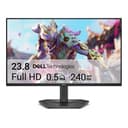
| Dell SE2426HG 24" | 16:9 | 1080p | 240Hz | ~$100 | Budget competitive FPS |
| AOC Q27G41ZE 27" | 16:9 | 1440p | 240Hz | ~$160 | Competitive gaming, value pick |
| ASUS TUF VG27AQ3A 27" | 16:9 | 1440p | 180Hz | ~$199 | 1440p gaming, balanced tier |
| Samsung Odyssey G55C 32" | 16:9 | 1440p | 165Hz | ~$250 | Larger 16:9, curved, immersive |
| AOC QD-OLED 27" 240Hz | 16:9 | 1440p | 240Hz | ~$380 | Premium single-player or competitive |
| Sceptre 34" Ultrawide | 21:9 | 3440×1440 | 165Hz | ~$288 | Entry ultrawide gaming |
| Samsung ViewFinity S50GC 34" | 21:9 | 3440×1440 | 100Hz | ~$306 | Productivity, dual-window use |
| Alienware AW3425DWM 34" | 21:9 | 3440×1440 | 180Hz | ~$350 | Gaming ultrawide, premium tier |
Who should buy which
Buy a 1440p 16:9 monitor if you play competitive FPS games regularly, own an entry-level or mid-range graphics card, or want the highest refresh rate per dollar. The AOC 27-inch QHD 240Hz at about $160 is the value benchmark here: 1440p at 240Hz, 4.6 stars from 566 reviews, and works on any GPU that handles 2560×1440. If you want every competitive game to fill the screen, this is where the money goes.
Buy a 3440×1440 ultrawide if your game library is primarily single-player open-world titles, you own an upper-mid-range or better graphics card, and you have the desk space for a 34-inch curved panel. The Alienware AW3425DWM (about $350, 4.6 stars, 180Hz) is the gaming pick at the top of this category. The Sceptre 34-inch 165Hz (about $288, 4.2 stars from 3,036 reviews) delivers the same 3440×1440 resolution at a lower entry cost if budget is the primary constraint. Note that ultrawide prices in this category move substantially; both figures are approximate at the time of writing.
For a full look at refresh rate, panel type, and resolution trade-offs, see the gaming monitor buying guide.
Compare gaming monitors →
All gaming monitors ranked by refresh rate, resolution, panel type, and value score.
Frequently Asked Questions
What is the best ultrawide gaming monitor in 2026?
The Alienware AW3425DWM 34-inch curved 180Hz is the gaming pick at 3440×1440, rated 4.6 stars from 731 reviews and priced about $350 at the time of writing. The Sceptre 34-inch 165Hz at about $288 is the budget alternative with 4.2 stars from over 3,000 reviews. Both run 3440×1440; the Alienware adds a better stand, faster response and a higher rating.
Do competitive games support ultrawide monitors?
Not all of them. Some popular competitive shooters limit the image to 16:9 and show black bars on the sides of an ultrawide, or keep the field of view the same so the wider screen gives no advantage. Most recent single-player and open-world games support 21:9 natively. Check the specific games you play before buying: if most of your hours are in competitive shooters, a 1440p 16:9 monitor is the practical choice.
What GPU do I need for 3440×1440 ultrawide gaming?
3440×1440 renders 4,953,600 pixels, about 34% more than 2560×1440's 3,686,400. In GPU-limited games, frame rate typically drops by up to that proportion, so a card averaging 144 fps at 2560×1440 might land somewhere around 110 fps at 3440×1440 with the same settings. For high frame rates in demanding AAA games, plan on an upper-mid-range graphics card with 12 GB of VRAM or more; 8 GB cards will need lower texture settings in some newer titles.
Is 3440×1440 ultrawide better than 2560×1440 for gaming?
For immersive single-player games: yes. 21:9 adds peripheral context and fills the screen in widescreen cinematics. For competitive FPS: no. Some titles cap the aspect ratio at 16:9, and the wider screen adds eye travel that works against reaction-time-sensitive play. The pixel count difference is 34% (4.95M vs 3.69M), which costs up to roughly that proportion of GPU performance. A fast 240Hz 16:9 1440p monitor is the better competitive setup in 2026.
Is an ultrawide monitor worth it for gaming in 2026?
Yes, if your game library is mostly single-player or open-world titles and your GPU can sustain 100+ fps at 3440×1440. No, if you primarily play competitive FPS, use a laptop, or have a desk shallower than 60 cm. The ultrawide advantage is immersion, not speed. At the time of writing, 34-inch 3440×1440 ultrawides in this catalog cost roughly $290–350, compared with about $160–200 for a good 1440p 16:9 gaming monitor. The premium is real, and whether it pays off depends on the games you play.