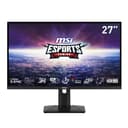
Best Gaming Monitor in 2026: Top Picks by Use Case
The best gaming monitor depends on whether you chase frames or fidelity. Our top 1440p, OLED, competitive, and budget picks — ranked by what actually matters.
There is no single best gaming monitor — there's the best one for how you play. A competitive shooter player wants a 240Hz+ panel and the lowest possible latency; a single-player fan wants OLED contrast and color. Below are our top picks for each, all drawn from monitors we actively track. If you want the fundamentals first, start with how to choose a gaming monitor.
Start with refresh rate and panel
- Refresh rate is the upgrade you feel most. 144Hz is the modern baseline; 240Hz+ is for competitive play where reaction time is currency.
- Panel type: Fast IPS for accurate color and great all-round response; OLED for perfect blacks and instant pixel response (premium, slight burn-in care); TN only for rock-bottom competitive budgets.
- Resolution: 1440p at 27" is the sweet spot for sharpness vs GPU cost. 1080p still makes sense at the highest refresh rates for esports.
Best picks by use case
| Use case | Pick | Panel / Refresh |
|---|---|---|
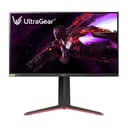
| Best overall (1440p) | LG 27GP850-B | Nano IPS / 165Hz |
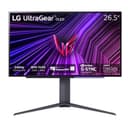
| Best OLED | LG 27GS95QE OLED | OLED / 240Hz |
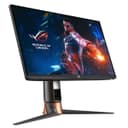
| Best competitive (esports) | Asus ROG PG259QN | Fast IPS / 240Hz |
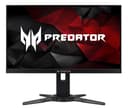
| Competitive value | Acer Predator XB272 | 1080p / 240Hz |
| Value 1440p high-refresh | MSI Optix MAG274UPF | IPS / 144Hz |
| Premium IPS | ASUS ROG Swift PG279Q | IPS / 165Hz |
| Best value 1440p 240Hz | AOC Q27G41ZE 27" | IPS / 240Hz (1440p) |
| Best large-screen value | Samsung Odyssey G55C 32" | VA / 165Hz (1440p) |
| Best budget 240Hz (1080p) | Dell SE2726HG 27" | IPS / 240Hz (1080p) |
Why these picks
The LG 27GP850-Bis the benchmark 27" 1440p gaming monitor and our best-value pick: a fast Nano IPS panel with a wide color gamut, 165Hz (overclockable higher), and proven low response times. For most gamers building around a 1440p GPU, this is the default.
Want the best image quality? The LG 27GS95QE OLEDpairs perfect blacks and near-instant pixel response with a 240Hz refresh — spectacular for immersive single-player games and fast enough for competitive too. It's the premium pick.
For pure competition, the Asus ROG PG259QN and Acer Predator XB272 prioritize 240Hz refresh and low latency over resolution — exactly what CS2 and Valorant players want, where 1080p keeps frame rates sky-high. The MSI Optix MAG274UPFis the value 1440p high-refresh option, and the older ASUS ROG Swift PG279Q remains a superb premium IPS panel if you find it in stock.
For the sharpest value in 2026, the AOC Q27G41ZE(27" 1440p 240Hz IPS, ~$170) punches well above its price and undercuts the LG 27GP850-B by over $200 now that pricing on that panel has risen. If you want a large curved screen, the Samsung Odyssey G55C 32" (~$250, VA, 165Hz, 1440p) is the value pick for immersive single-player gaming. On a tight budget, the Dell SE2726HG(~$150, 27" 1080p 240Hz) delivers the fastest refresh at the lowest price.
Console gaming?
If you're buying for a PS5 or Xbox Series X rather than PC, the priorities shift to 4K, 120Hz, and HDMI 2.1. See our dedicated best 4K monitor for console gaming guide for those picks.
Compare gaming monitors →
Every gaming monitor ranked by refresh rate, panel type, response time, and value.
Frequently Asked Questions
What refresh rate should a gaming monitor have?
144Hz is the modern baseline and the upgrade you feel most — motion is smoother and input lag lower than 60Hz. Step up to 240Hz or higher only for competitive shooters where reaction time matters. Match the refresh rate to what your GPU can actually push.
IPS vs OLED — which is better for gaming?
Fast IPS gives accurate color, great response times, and no burn-in worry — the best all-rounder and value. OLED delivers perfect blacks and near-instant pixel response for stunning single-player visuals, at a premium and with some burn-in care needed.
Is 1440p or 4K better for a gaming monitor?
1440p at 27 inches is the sweet spot — sharp, and far easier to drive at high frame rates than 4K. Choose 4K only if image fidelity matters more than frame rate and you have a high-end GPU. For competitive play, 1080p at very high refresh still wins.
Do I need G-Sync or FreeSync?
Adaptive sync (FreeSync or G-Sync) eliminates screen tearing and is worth having, but you don't need to pay a premium for a dedicated G-Sync module. Most modern monitors support FreeSync / G-Sync Compatible, which works with both NVIDIA and AMD GPUs.