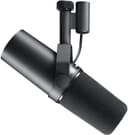
USB vs XLR Microphone: Which Should You Buy in 2026?
USB mics plug straight into your PC. XLR mics need an audio interface but scale further. Real setup costs compared, with picks at every budget.
The short answer
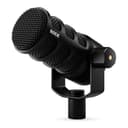
USB microphone: plug it into any computer, no other hardware needed. XLR microphone: requires an audio interface or mixer to connect to a PC. For a solo streaming or podcast setup in 2026, a USB dynamic mic is the right starting point. The quality gap between good USB and XLR mics has narrowed a lot. The Rode PodMic USB at about $190 costs roughly the same as a complete PodMic XLR kit once you add an interface and cable, with far less setup. Go XLR when you need multiple microphones simultaneously, already own an interface, or want to route audio through a hardware mixer.
What USB and XLR actually mean
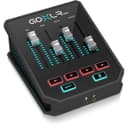
Every microphone produces an analog audio signal. To record it on a computer, that signal must be converted to digital. A USB microphone has the analog-to-digital converter (ADC) built into the mic body. The USB port on your computer receives a digital signal directly, with no additional hardware in the chain. An XLR microphone outputs a raw analog signal over a balanced three-pin connector. Something external handles the conversion: an audio interface, a mixer, or a device like the TC Helicon GoXLR Mini ($189), which accepts XLR input and outputs USB to a PC.
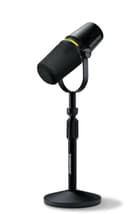
The practical difference is hardware count. A USB mic is one device. An XLR mic is at minimum three: the microphone, the interface, and the cable. The quality of the ADC in the interface can exceed the one in a budget USB mic, which is the origin of the "XLR sounds better" claim. At the upper end of USB mics, such as the Shure MV7+ ($319), that advantage largely disappears for spoken-word recording.
The real cost of an XLR setup
A bare-minimum XLR kit requires three items:
- RODE PodMic XLR : about $86 at the time of writing
- A basic audio interface (entry-level USB interfaces from Behringer and similar brands run approximately $50–90)
- XLR cable: about $5–15
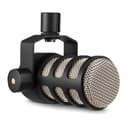
Total: roughly $141–191 for a complete PodMic XLR setup. The Rode PodMic USB costs $190 and uses the same capsule family as the PodMic XLR. Price ends up close either way, so the USB version makes sense unless you specifically want the XLR signal chain, for example to add a second mic later.
At the top of the XLR tier, the Shure SM7B ($439) needs a preamp with strong gain output to sound its best. A basic entry-level interface may not deliver enough clean gain, which pushes many buyers toward a pricier preamp or a dedicated streaming mixer. Factor that cost into the budget before buying the SM7B.
When USB is the right call
USB is the better choice for streamers, solo podcasters, gamers, remote workers, and anyone recording in a single fixed location. The Blue Yeti ($108) is the standard USB condenser with multiple polar patterns, useful for roundtable recording in a treated room. The ZealSound K66 ($35) is the entry-level USB condenser for strict budgets; keep it in a quiet room with soft furnishings for best results. For noisy rooms, the Rode PodMic USB is the USB pick because it is a dynamic microphone (more on that distinction below).
USB also wins when portability matters. Switching between a desktop and a laptop, recording interviews at different locations, or traveling for content creation works cleanly with a single USB mic. An XLR setup requires packing the interface separately and managing additional cables.
When XLR is the right call
Choose XLR when you already own an interface, want to record multiple guests at once (interfaces with two or more XLR inputs are common), or want a hardware upgrade path that lets you swap mics without replacing the entire chain. The RODE PodMic XLR ($86) and the Shure SM58 ($109) are the two dynamic XLR mics worth starting with at this price range. The Audio-Technica AT2020 ($119) is the standard-bearer for XLR condensers in a home studio with proper acoustic treatment.
For a budget XLR option, the Pyle PDMIC58 ($23) records usable audio at under $25. Sound quality is noticeably below the SM58, but it is a reasonable placeholder while saving for a better microphone.
Streamers and gamers who want XLR with built-in processing should look at the GoXLR Mini ($189). It takes an XLR mic input, applies hardware noise gate, EQ, and compression, and outputs USB audio to the PC. This avoids needing a separate interface while still accepting any XLR microphone.
Hybrid mics: USB and XLR in one body
Several mics include both connection types. The FIFINE AmpliGame AM8 ($57) is the most affordable hybrid: use it as a USB mic today and switch to XLR when adding an interface makes sense. The Rode PodMic USB ($190) and Shure MV7+ ($319) are the premium hybrid options. Both start life as USB mics and move into an XLR chain without replacing the microphone.
Hybrid mics are worth considering if you are unsure about committing to either ecosystem. You pay a small premium over a pure USB or pure XLR mic at the same quality level, but you avoid buying a second microphone when your setup changes.
Dynamic vs condenser: the room noise problem
A condenser microphone is highly sensitive and picks up everything in the recording space. In an acoustically treated studio with absorption panels and no reflective surfaces, that sensitivity captures detail and air in the vocals. In a typical bedroom, gaming setup, or home office, that same sensitivity picks up keyboard noise, HVAC hum, traffic, and room reverb equally.
A dynamic microphone is proximity-dependent and directional. It captures mostly what is close to the capsule and rejects ambient sound that is not directly in front of it. If your room is not acoustically treated, choose a dynamic mic regardless of whether you go USB or XLR. The Rode PodMic USB, PodMic XLR, Shure SM58, and Shure SM7B are all dynamic designs for this reason. The Blue Yeti and AT2020 are condensers that need room treatment to sound their best.
Comparison at a glance
| Mic | Type | Connection | Price (approx.) | Best for |
|---|---|---|---|---|
| ZealSound K66 | Condenser | USB | ~$35 | Budget, quiet rooms |
| Pyle PDMIC58 | Dynamic | XLR | ~$23 | Budget XLR placeholder |
| FIFINE AmpliGame AM8 | Dynamic | USB + XLR | ~$57 | Budget hybrid, future-proofing |
| RODE PodMic XLR | Dynamic | XLR | ~$86 | XLR upgrade path, noisy rooms |
| Blue Yeti | Condenser | USB | ~$108 | Treated rooms, multi-pattern recording |
| Shure SM58 | Dynamic | XLR | ~$109 | Proven stage and studio workhorse |
| AT2020 XLR | Condenser | XLR | ~$119 | Treated home studio, vocals and instruments |
| GoXLR Mini | Mixer | XLR in, USB out | ~$189 | Streaming with DSP and multi-source mixing |
| Rode PodMic USB | Dynamic | USB + XLR | ~$190 | Serious solo podcast or stream rig |
| Shure MV7+ | Dynamic | USB-C + XLR | ~$319 | Professional hybrid, onboard DSP |
| Shure SM7B | Dynamic | XLR | ~$439 | Pro broadcast, requires strong preamp |
For deeper coverage of specific picks at each price point, see the best microphone for streaming and podcasting guide and the best microphone under $200.
Compare all microphones →
USB, XLR, and hybrid mics ranked by audio quality and value score.
Frequently Asked Questions
Do I need an audio interface for a USB microphone?
No. A USB microphone has an analog-to-digital converter built into the mic body. It plugs into any USB port on a PC, Mac, or tablet and appears as a sound device immediately, with no extra hardware or drivers. Audio interfaces are only required for XLR microphones.
Is XLR better than USB for podcasting?
Not automatically. Good USB dynamic mics like the Rode PodMic USB ($190) and Shure MV7+ ($319) produce podcast-quality audio that most listeners won't distinguish from a comparable XLR setup. XLR is better if you need to record multiple guests at once, already own an interface, or want to route audio through a mixer. For a solo podcast recorded at home, a USB dynamic mic is the simpler and often smarter choice.
What is the real total cost of an XLR microphone setup?
Budget roughly $140-200 at minimum: a dynamic XLR mic like the RODE PodMic XLR ($86) or Shure SM58 ($109), a basic audio interface ($50-90), and a cable ($5-15). The Shure SM7B ($439) also requires a preamp with strong gain output. The Rode PodMic USB costs about the same, $190, and needs nothing else.
What is a good XLR microphone for beginners?
The RODE PodMic XLR at about $86 is a strong entry point: 4.8 stars from over 7,000 ratings. Pair it with any basic interface that has an XLR input and enough clean gain for a dynamic mic. The Shure SM58 ($109) is an alternative, a stage-proven dynamic mic that has been used in live and studio applications for decades.
What is a hybrid USB and XLR microphone?
Hybrid mics include both connection types in one unit. The FIFINE AmpliGame AM8 ($57), Rode PodMic USB ($190), and Shure MV7+ ($319) all work as plug-and-play USB mics today and switch to XLR if you add an interface later. Both outputs use the same microphone capsule, so the core sound is the same; over XLR, the final result also depends on the interface you plug into.